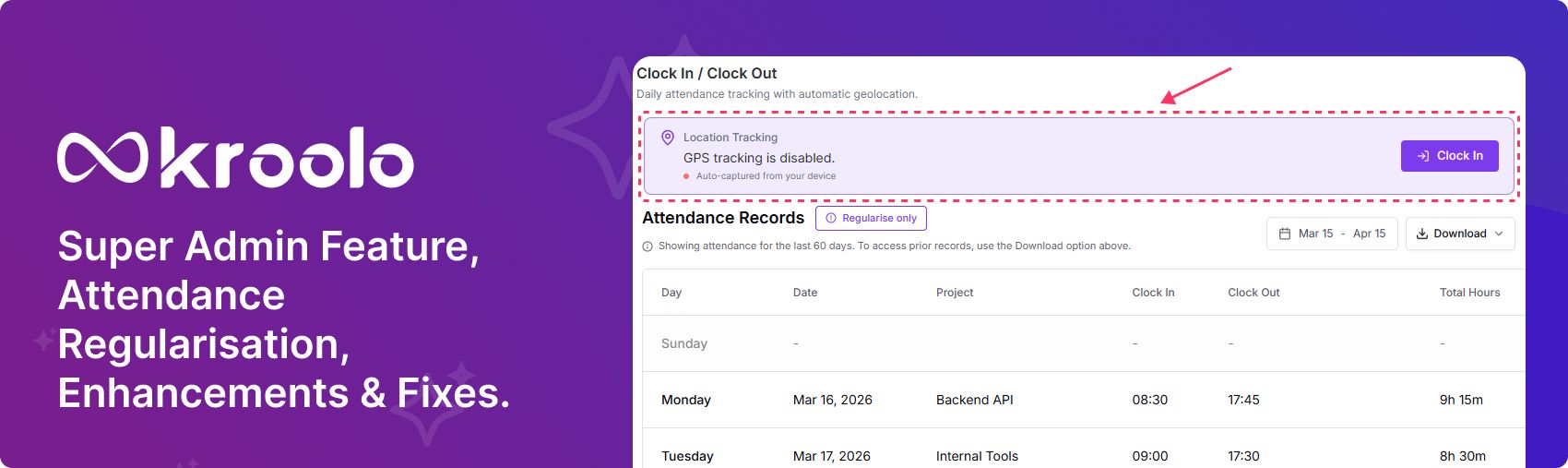
Super Admin feature, Attendance Regularisation, Enhancements and fixes
New Features
Users Settings Super Admin Role: The Super Admin role provides full organisational control, including managing permissions and global settings. It can override restrictions set by other admins, ensuring complete visibility and authority. Super Admins safeguard access, maintaining top‑level security and governance.
Attendance Regularisation: Attendance regularisation allows managers to correct missed or incorrect clock‑in/out entries. It ensures accurate work hour tracking with manager approval for adjustments. This maintains fairness while keeping attendance records reliable and transparent.
Enhancements
Settings: The Settings sidebar UI has been redesigned for a cleaner, more intuitive layout. Navigation is now simplified, making it easier to access and manage configurations quickly.
Leave hub : Admins can now reject previously approved leave requests, ensuring better control over team availability. Members also have the option to withdraw their own approved leave, offering flexibility if plans change. Together, these actions improve transparency and keep project schedules aligned.
Settings: The sidebar background colour has been removed in the Settings section to create a cleaner, distraction‑free interface. This change improves readability and ensures the focus stays on the configuration options themselves.
Fixes
Settings: The sign‑in issue that occurred when users reset their password through the Forgot Password flow has been resolved. Now, accounts remain accessible without errors after password changes, ensuring a seamless login experience.
Onboarding: The OTP verification and expiry issue in WorkOS has been fixed to ensure smoother authentication. Users will now receive valid OTPs that expire correctly within the set timeframe, preventing login errors and enhancing security.
Inbox: The Assigned Tasks section had an issue where counts did not update automatically. This has been fixed, so task counts now refresh correctly in real time, without requiring a manual reload.
Projects: The text editor bug where clicking inside a field exited edit mode instead of placing the cursor has been fixed. Now, clicks correctly position the cursor, allowing smooth and uninterrupted text editing.
Portfolio: The portfolio sync issue, where newly added projects were not reflected inside the selected portfolio, has been fixed. Now, portfolio views update instantly, ensuring accurate visibility of all linked projects.
Projects: The Project Task List bug, where items sporadically displayed as Item – 0, has been fixed. Task lists now render correctly, ensuring accurate item names and a consistent viewing experience.
Boards: The Board issue where items sporadically appeared as Item – 0 has been fixed. Boards now display correct item names consistently, ensuring clarity and a smooth user experience.
Boards: The Board template issue where items were not appearing after creation has been fixed. Now, boards generated through templates display all items correctly, ensuring consistency and reliability.
Projects: The drag‑and‑drop enhancement with improved snap zones for task reordering had issues that are now fixed. Tasks now align smoothly in their intended positions, ensuring precise placement and a more reliable workflow experience.
Sprints: The sprint completion bug, where finishing a sprint early did not show the Complete status in the sidebar or All Sprints view, has been fixed. Now, sprints correctly display their completion status regardless of timing, ensuring accurate tracking and visibility across dashboards.
Automations: The automation bug where incorrect sprint states were shown, and the Run option was disabled, has been fixed. Sprint states now display accurately, and the Run option is fully functional, ensuring smooth automation execution.
Projects: The project list bug where the date filter was not working has been fixed. Filters now apply correctly, ensuring project lists display accurate results based on the selected date range.
My Space: The MySpace Assigned Tasks bug, where completed sprint tasks were still editable, has been fixed. Now, tasks from completed sprints are locked as expected, ensuring accurate tracking and preventing unintended changes.
Projects: The item detail bug where formula values were not displaying has been fixed. Now, calculated results appear correctly in item details, ensuring accurate data visibility and smoother project tracking.
Projects: The aggregation issue where a disabled icon was incorrectly displayed has been fixed. Now, the aggregation view no longer shows the unnecessary icon, ensuring a cleaner interface and a more intuitive user experience.
Portfolio: The portfolio bug where editing default column names changed their type to Undefined has been fixed. Now, default columns in portfolios retain their correct type after renaming, ensuring consistency and reliable data handling.
Portfolio: The consolidated view issue, where edit, hide, and duplicate options were still visible, has been fixed. Now, these unnecessary options have been removed, ensuring a cleaner interface and a more streamlined user experience in consolidated views.