Resource workload and more
New Features
A hierarchy report in Sprint View shows progress and work details for a single sprint, helping teams evaluate execution against goals. In All Sprint View, it aggregates data across multiple sprints, revealing trends and patterns for long-term planning and performance analysis.
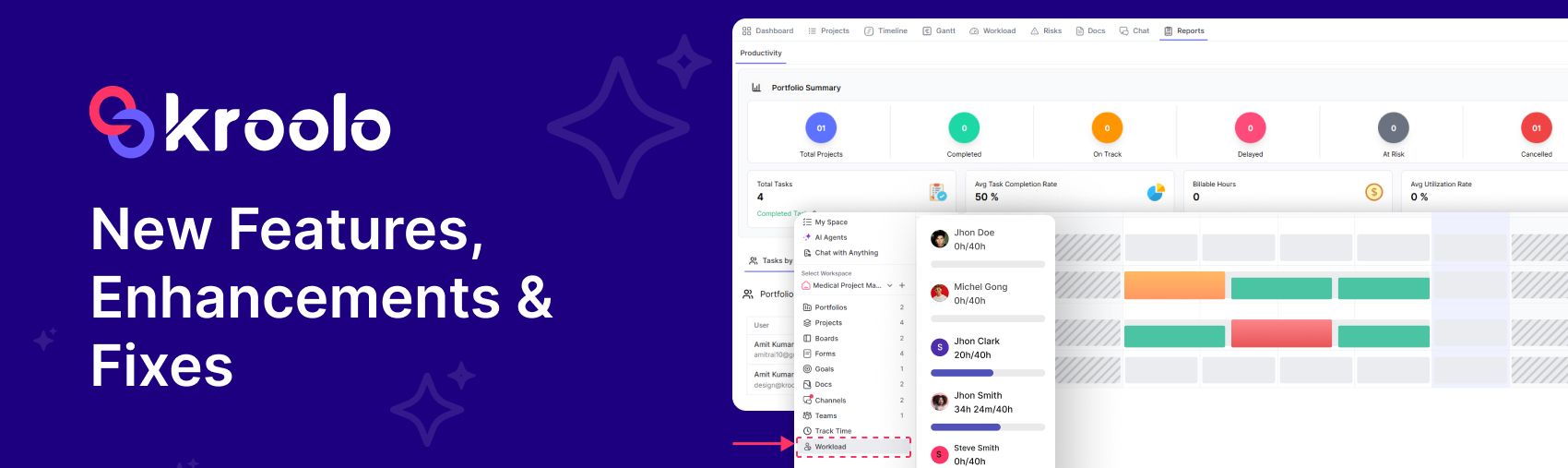
Resource workload: At a workspace level, resource workload shows the total tasks or hours assigned to all team members across the entire workspace, not just within a single project or sprint. This helps leaders see overall capacity, identify imbalances, and redistribute work to avoid overload and ensure efficiency across teams.
Enhancements
Track Time: Adding a withdrawal timesheet for the Approved tab allows users to retract or cancel a timesheet even after it has been approved. Adding a show comment for the Approved and Rejected tabs ensures that any notes or feedback tied to those timesheets are visible, giving clarity on why they were approved or rejected.
Task automation with an action subtask created: When a main task triggers an automation rule, a related subtask is automatically generated under it. This ensures consistent workflows by reducing manual effort, keeping dependencies aligned, and making sure every parent task has its required subtasks created without human intervention.
Resource workload now supports multi-select filters for projects, sprints, and members, making it easier to analyse and balance capacity across different dimensions. A new Sprint Task column has also been added, giving clearer visibility into workload distribution at the task level within each sprint.
A hierarchy report in Sprint View shows detailed progress and performance for a single sprint. In All Sprint View, it consolidates data across multiple sprints, highlighting overall trends and patterns for broader analysis.
A Portfolio Dynamic View brings multiple perspectives, like consolidated project status, Gantt timelines, and workload distribution, into one unified space. This allows teams and leaders to track progress, dependencies, and resource capacity seamlessly without switching between separate reports.
Security checks for passwords now ensure that the same password cannot be reused twice, preventing users from recycling old credentials. This strengthens account protection by enforcing unique passwords for every update or reset.
The MySpace Utilisation Report feedback highlights user concerns about the clarity and accuracy of space usage data. The sync bugs refer to issues where report updates were not reflecting changes in real time, causing mismatches between actual utilisation and displayed results.
Epics bugs were fixed, estimated efforts were added, all sprint reports were segregated by sprint selection, and a new column in epic-wise status reports now shows all tasks and total stories together.
Bugs & Fixes
A new filter for clients and projects has been added, making it easier to narrow down workload or reports by specific accounts or initiatives. The members’ filters have also been fixed, ensuring accurate selection and display of team members when analysing or assigning tasks.
Fixing project risks related to API response time means addressing delays or inefficiencies in how the system’s API processes and returns data. By optimising response speed, the risk of slow performance, timeouts, or user frustration is reduced, ensuring smoother project execution and reliability.
Updating the password-related error message in Work OS ensures users receive clearer guidance when their chosen password doesn’t meet security rules. This improves usability by explaining the issue directly, such as when a password is reused or fails complexity requirements.
The email timesheet incorrect URL issue fix ensures that links in timesheet notification emails now point to the correct destination. This resolves navigation errors for users, making timesheet access and submission seamless.
When a client is created, they also become visible in the project and client lists if privacy settings are selected. This ensures transparency and proper access control by linking client visibility directly to chosen privacy options.
Workload changes ensure better tracking and distribution of tasks across team members, improving balance and efficiency. The leave and holidays bug fixes resolve issues where absences weren’t correctly reflected, so workload calculations now align accurately with team availability.
An Estimated Efforts column has been added in the epic listing, allowing teams to see the projected effort values directly alongside each epic. This provides clearer visibility into workload expectations and helps in better planning and tracking of epic progress.
When archiving a form, a bug caused the workspace name to appear instead of the form name in the confirmation modal. Additionally, the form name was displayed twice in the toaster notification, leading to redundancy and confusion for users.
The issue with budgets in financial reports has been fixed so that the type field is now properly aligned. This correction ensures consistent formatting and clearer readability across all financial reporting views.