Capacity & Billing and more
New features
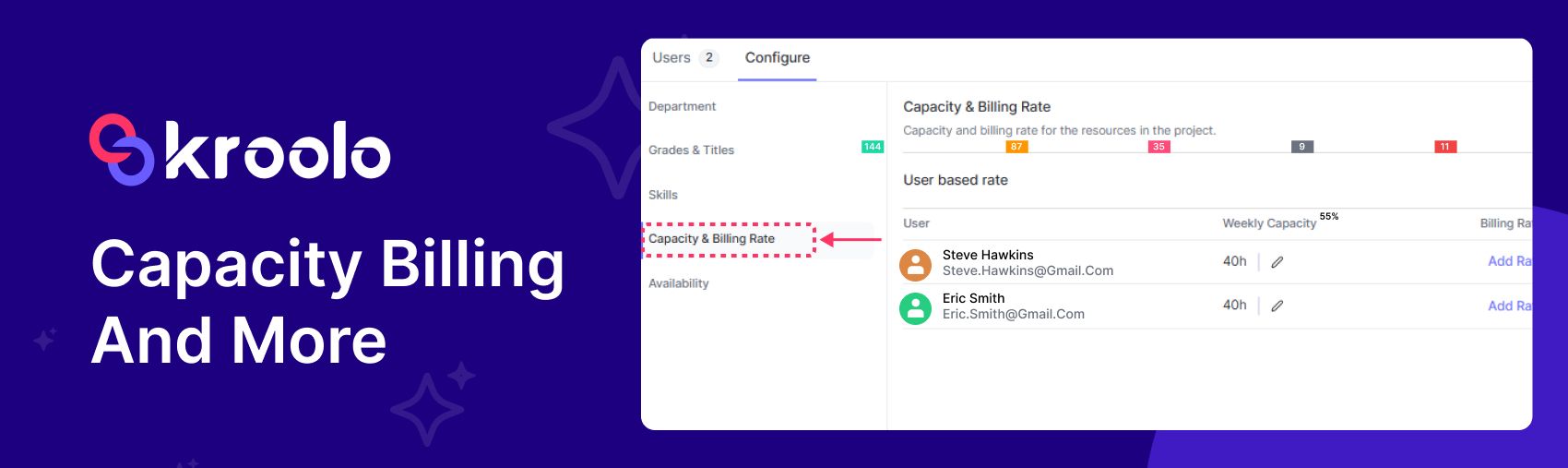
Capacity Billing & Availability module added: Track resource usage and link it directly to billing, ensuring costs are automatically aligned with the amount of capacity consumed. Alongside that, an Availability module has been introduced, allowing you to check in real time whether resources (like staff, equipment, or slots) are free or booked, making scheduling and cost management more efficient.
Undo Functionality for Delete Action Added: This update introduces an undo option whenever something is deleted, so users can quickly reverse accidental removals. It adds a safety net, ensuring that deleted items can be restored immediately without permanent loss, improving both usability and confidence in the system.
Enhancements
A refreshed and improved way to embed text is embedded inside documents.
The system now supports refined tracking of custom document statuses along with enhanced configuration options, giving users more control and clarity over how documents are managed.
The system’s underlying models for handling documents and agents have been improved, resulting in smarter document processing and more efficient agent interactions. In practice, it enhances accuracy, performance, and reliability across both areas.
Enhanced visual animation is used when interacting with the Ask-AI feature, making the experience smoother and more engaging. The improved animation provides clearer feedback to users, helping them feel more connected and confident while using the tool.
Save individual dashboard widgets as separate, customizable views, rather than keeping them locked into one combined dashboard. It means you can create focused views from specific widgets, making it easier to organise, access, and analyse data in a way that suits different tasks or audiences.
A toggle option to show or hide data labels on charts, giving users more control over how information is displayed. It makes charts cleaner when labels aren’t needed and more informative when precise values should be visible.
Filters that can be applied directly at the widget level, allowing each widget to display data tailored to specific criteria. It gives users more flexibility to customise dashboards, ensuring every widget shows the most relevant information for their needs.
A Summary Table widget that displays key data points in a clear, tabular format. It helps users quickly review and compare important information at a glance, improving analysis and decision-making.
Charts in the dashboard display multiple metrics at once, rather than being limited to a single data point. It helps users compare different measures side by side within the same chart, making analysis more comprehensive and efficient.
Improved notifications for clearer and more timely alerts, ensuring users stay informed with ease. It also includes fixes to expense tracking for greater accuracy and updates to time-off permissions, giving managers better control over leave approvals.
When a Gmail outbound automation (like an automated email sent through Gmail) is triggered, a record of that action is now saved in the comments section of the related item or workflow. This provides clear visibility and tracking, so users can easily see when and what automated emails were sent without needing to check Gmail separately.
When an inbound reply is received through Outlook, the system now automatically saves that reply into the comments section of the related item or workflow. This ensures all communication is captured in one place, making it easier to track conversations and maintain context without switching between Outlook and the system.
A new modal window for inviting team members, making the process more streamlined and user-friendly. It provides a clear interface where you can quickly add details and send invites, improving the collaboration setup.
Bugs & Fixes
Sprints can now be scheduled and started even if their dates are set in the future, improving flexibility in planning and execution.
The Roadmap now uses “Epic” instead of “Sprint” as the label, providing clearer alignment with standard agile terminology and improving consistency in project tracking.
Labels on integration cards are now displayed correctly when connecting or disconnecting, improving clarity and consistency in the user interface.
GitHub / GitLab project list issue resolved.
Zendesk & Intercom navigation issue fixed.
The DM menu now displays correctly as Direct Messages instead of Channels, improving navigation accuracy and user experience.
Fixed multiple permission issues, including invite access, workspace edit permissions, finance view, and subtask detail view.