Project financials and table view in projects
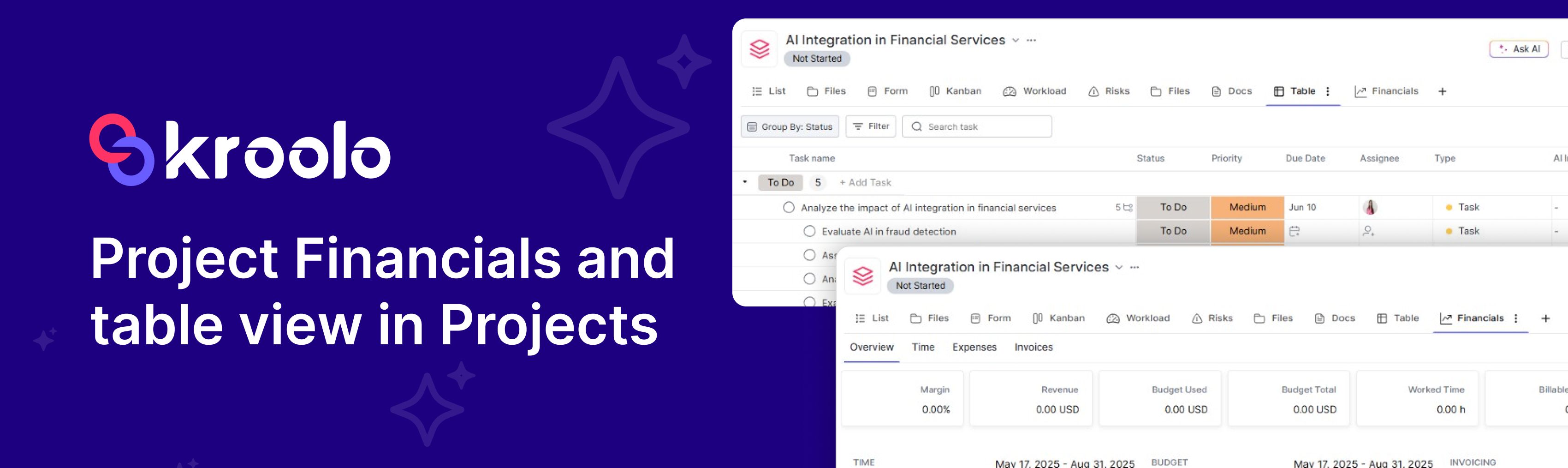
Table View in Project: Enhanced Project Management Interface Streamlined Spreadsheet-Style Layout
Introducing a powerful new project management interface that leverages a spreadsheet-style layout for improved organisation and efficiency.
Key Features:
Customizable Column Structure: Tailor your workflow by adding, removing, or rearranging columns for status, due dates, assignees, tags, and more.
Efficient Inline Editing: Modify task details directly within the grid view, eliminating the need for unnecessary navigation.
Comprehensive Filtering and Sorting: Quickly locate specific tasks using advanced filters for assignees, priorities, deadlines, and other criteria.
Streamlined Bulk Operations: Simultaneously update multiple tasks, including status changes, team member assignments, and due date modifications.
Flexible Task Grouping: Enhance progress visibility by organising tasks according to sprints, team members, or status categories.
This innovative Table View functionality is designed to optimise project organisation, boost team productivity, and provide a clear, structured overview of project progress.
Project Financials: Comprehensive Financial Oversight
Budget Management
Establish and maintain project-level fiscal parameters with real-time expenditure analysis. Monitor budget adherence by continuously comparing projected allocations with actual spending.
Expense Management
Implement a systematic tracking and classification of project expenditures, including software, human resources, and external contractors. Maintain transparent financial records with up-to-date expenditure visibility.
Revenue Forecasting & Margin Analysis
Evaluate financial performance through comparative analysis of anticipated income against operational costs. Determine profitability metrics and strategic insights for optimised resource distribution.
Financial Documentation & Custom Reporting
Generate comprehensive financial documentation through single-click export functionality. Customise report parameters by temporal scope, departmental budgets, or expenditure classifications.
Enhancements
Introducing the enhanced Data Grid—now featuring inline task creation, dynamic phantom rows, improved empty states, and enriched column headers for a more seamless and efficient experience.
Custom columns now support numbers, currency, files, and preference indicators like likes/dislikes—enhanced with intuitive tooltips and icons for clarity.
The "Load More" button has been replaced with a seamless skeleton loader for a smoother experience.
A dynamic view is now available in the Sprint detail tab, offering enhanced visibility and flexibility.
Epic view is now integrated within sprints, providing deeper visibility and streamlined project tracking
Quick filters and sprint-ID search enhance epic look-ups, making them faster and more efficient.
Real-time task events are now more responsive, with enhanced handling for creation, deletion, subtasks, and recurring tasks.
Inline alerts now notify users if a task is marked as "done" while its subtasks are still open.
A global routing update ensures smoother, uninterrupted navigation across docs.
Feedback-related issues in Docs have been addressed, ensuring a smoother experience.
Bugs & Fixes
Agent feedback-related bugs in the AI module have been resolved, improving overall functionality.